
Note: Auto only supports 1K. 1:1 does not support 4K.
AI Image Style Transfer for Distinctive Visual Restyling
Upload a portrait, pet photo, product image, or illustration and describe the visual style you want. Transfer its colors, textures, brushwork, lighting, and mood while preserving the recognizable subject, pose, and overall composition.
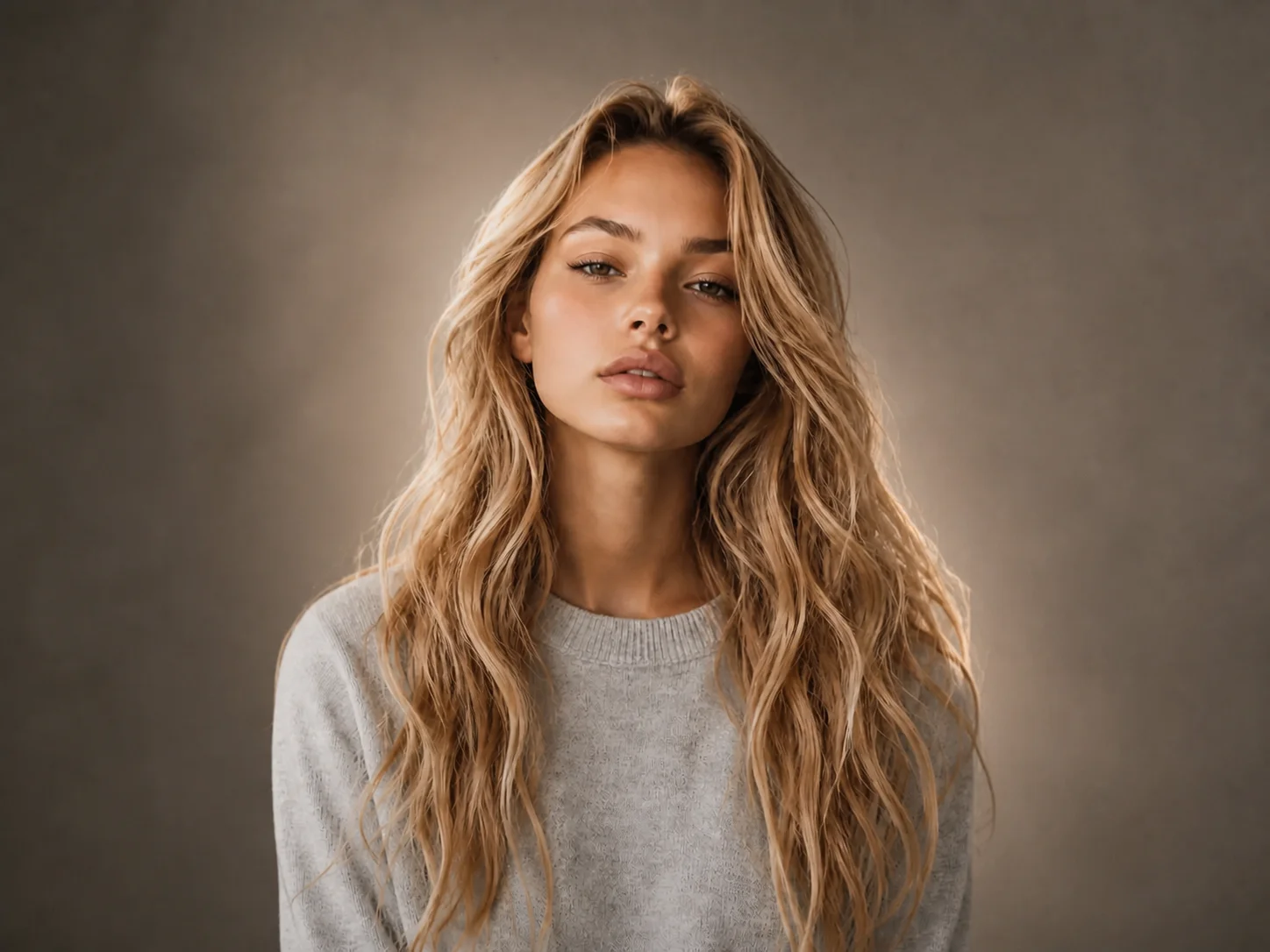
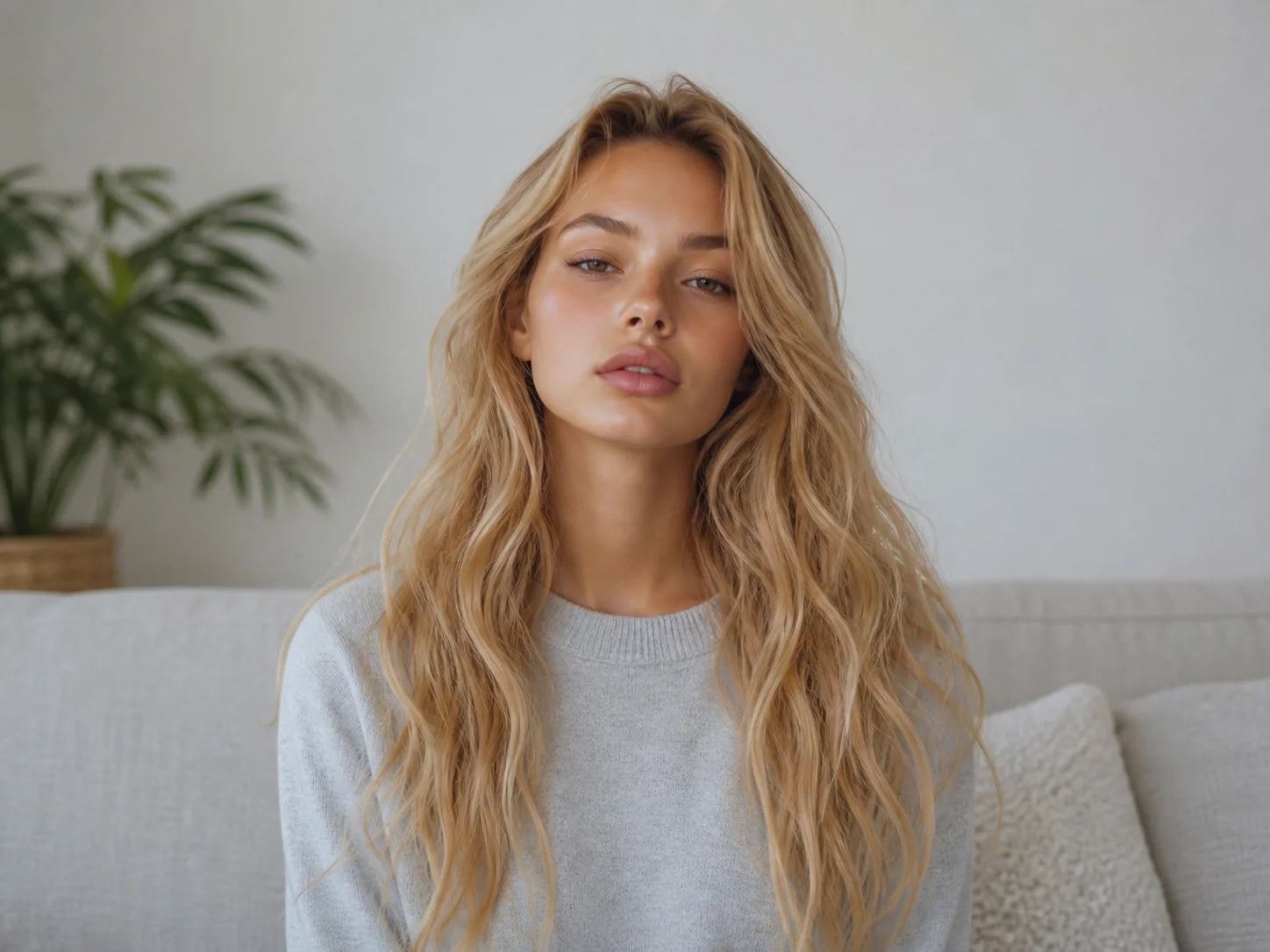
How to Use AI Image Style Transfer
Upload
Choose a clear source image with a recognizable person, pet, object, product, or scene that you want to restyle.
Generate
Edit the prompt to describe the target colors, texture, lighting, artistic medium, and mood, then generate the restyled result.
Download
Review how the new style works with the original subject and composition, then download the finished image for your project.
Why Choose This AI Image Style Transfer Tool
Restyle Images Without Losing Their Identity
Apply a new artistic direction while keeping faces, pets, products, poses, and major composition elements recognizable in the transformed image.
Guide AI Style Transfer with Natural Instructions
Describe cinematic lighting, watercolor textures, anime rendering, studio photography, painterly brushwork, or another visual direction in an editable prompt.
Carry Color, Texture, and Mood Across Visuals
Reinterpret portraits, products, social graphics, and illustrations with coordinated palettes and surface details for more consistent creative output.
Who Use Qimg AI
Creators
Reimagine portraits, pets, scenes, and social content in distinctive visual styles while keeping familiar subjects recognizable.
Designers
Explore palettes, textures, lighting treatments, and artistic directions before refining promising concepts into production-ready visuals.
Marketers
Adapt campaign and product imagery to different visual themes while maintaining a coherent subject and recognizable message.
FAQs About AI Image Style Transfer
AI image style transfer applies visual qualities such as color, texture, brushwork, lighting, and mood to a source image while retaining its recognizable content and overall structure.
Use a clear image with a visible primary subject and balanced lighting. Portraits, pets, products, landscapes, and illustrations can all provide strong foundations for a new style.
Yes. Describe the desired medium, palette, lighting, texture, mood, and level of realism. Specific visual instructions give the model a clearer creative direction.
Yes. The tool is designed to keep the main subject, pose, and composition recognizable while changing the visual treatment. Results still depend on source-image clarity and prompt detail.
Use the results for social content, concept art, campaign visuals, product presentations, personal projects, and design exploration, subject to the rights associated with the source material.
Discover More on Qimg AI
Qimg AI is your go-to AI image toolkit for generating, editing, and enhancing photos and artwork.
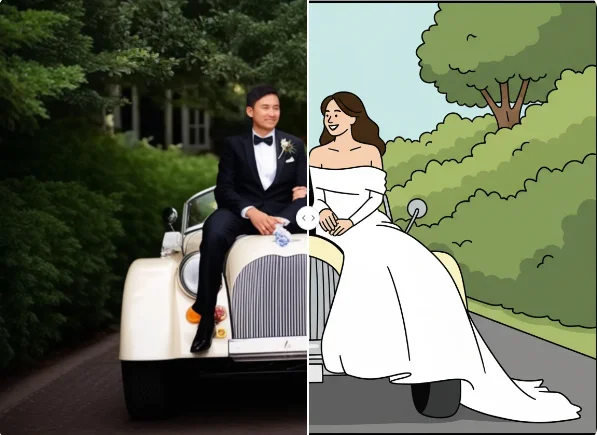
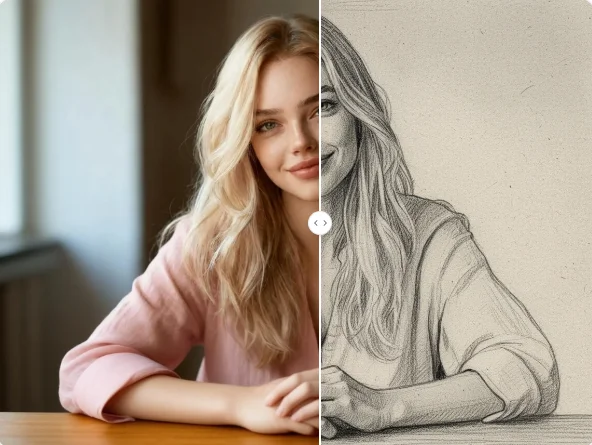
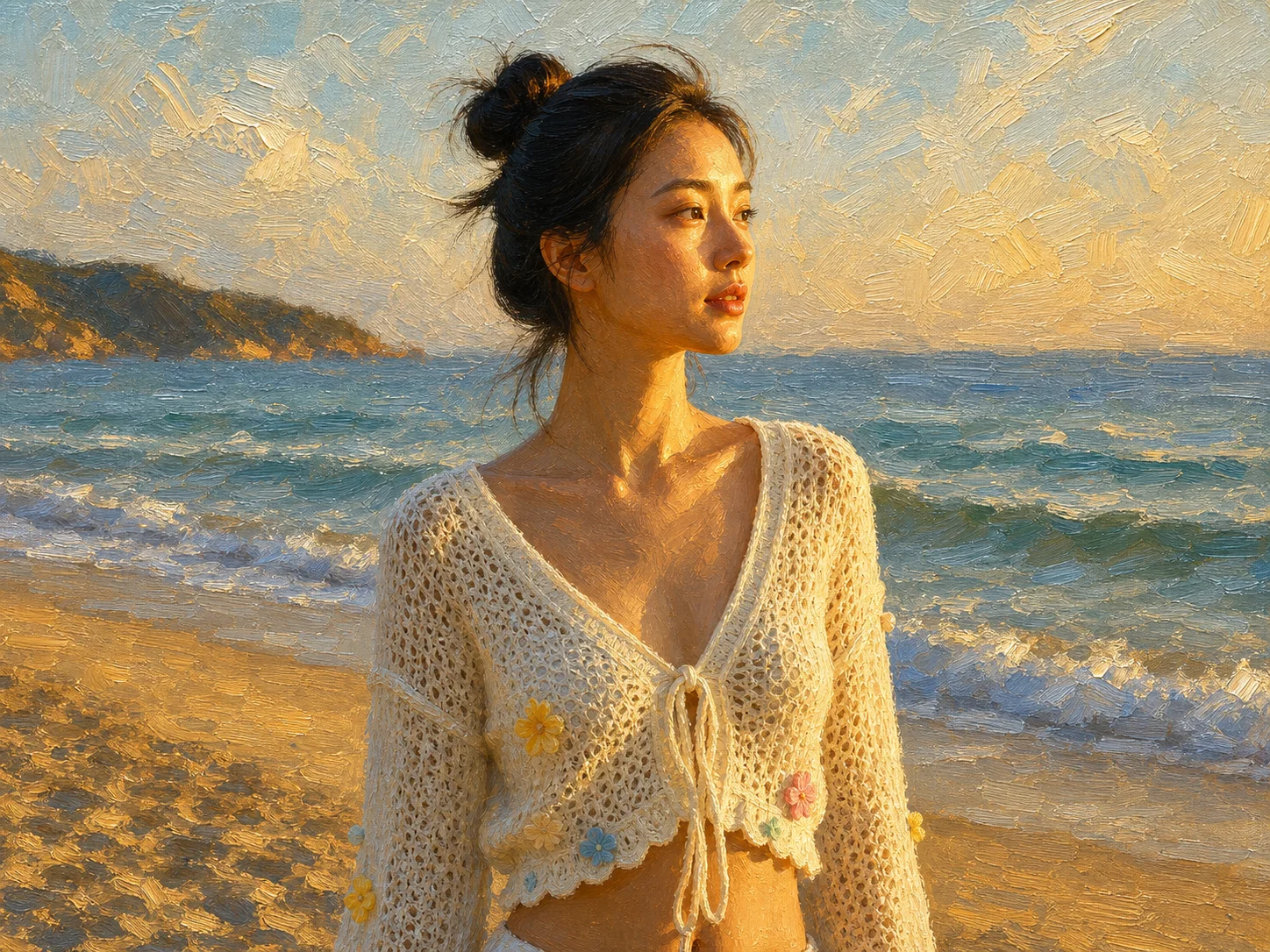
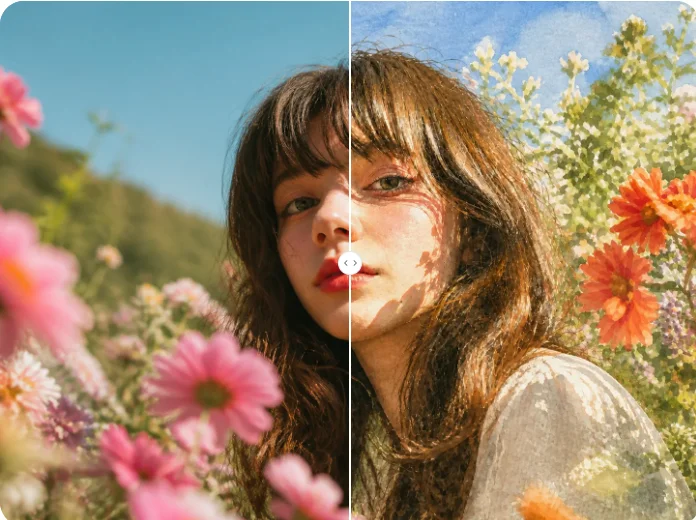
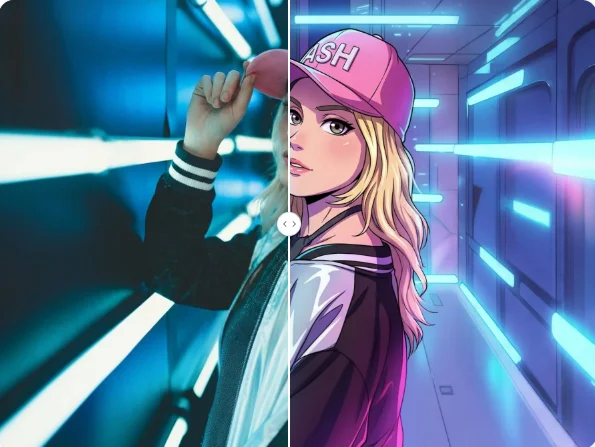
Transform Your Visuals with AI Image Style Transfer
Upload an image, refine the editable prompt, and use AI style transfer to explore new colors, textures, lighting, and artistic directions without losing the original subject.