
Note: Auto only supports 1K. 1:1 does not support 4K.
Create a Realistic MacBook Mockup
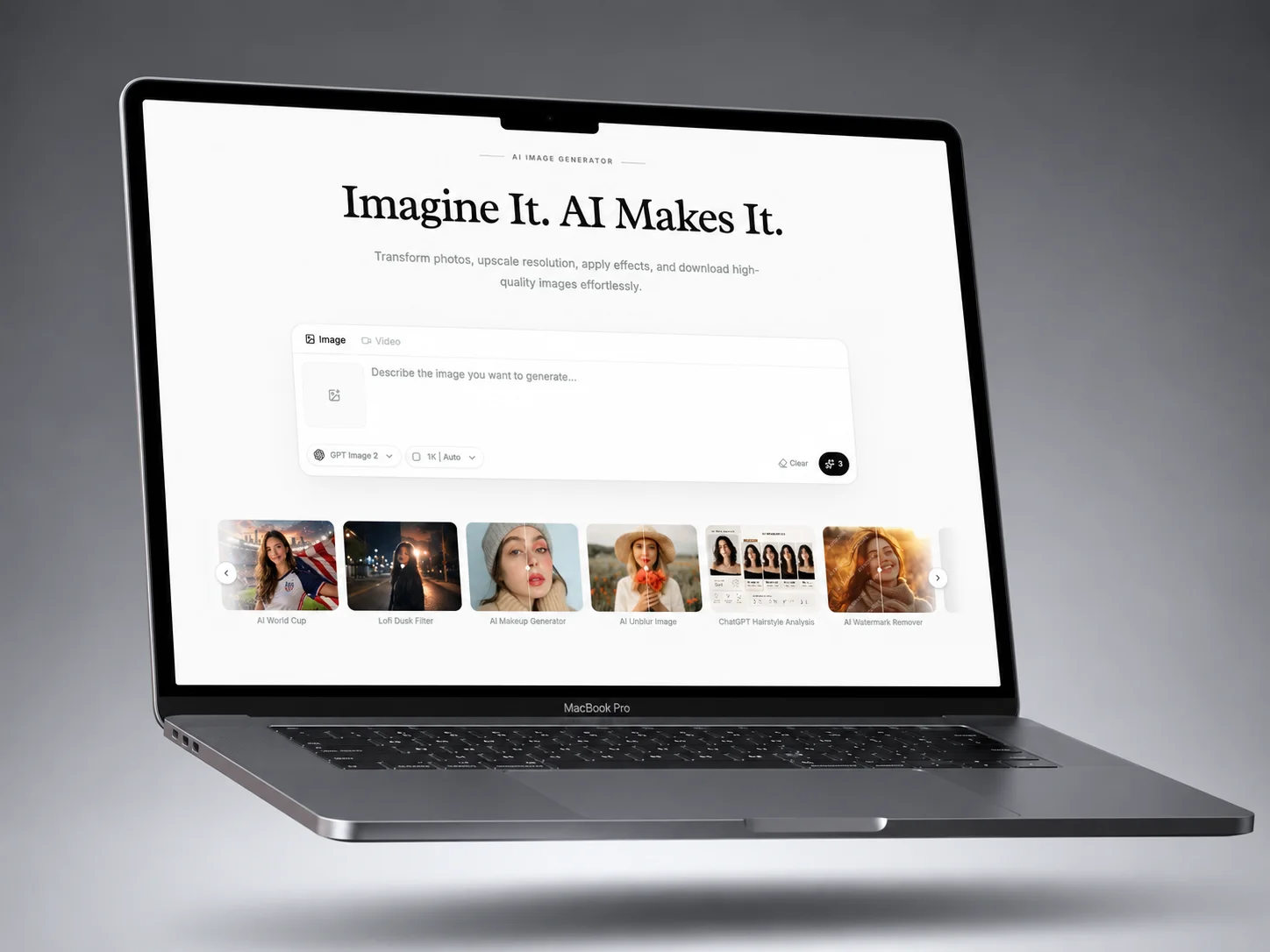
Upload a screenshot, website preview, or UI design, then describe the MacBook frame, camera angle, background, lighting, and visual mood to create a polished laptop presentation.
How to Use MacBook Mockup Generator?
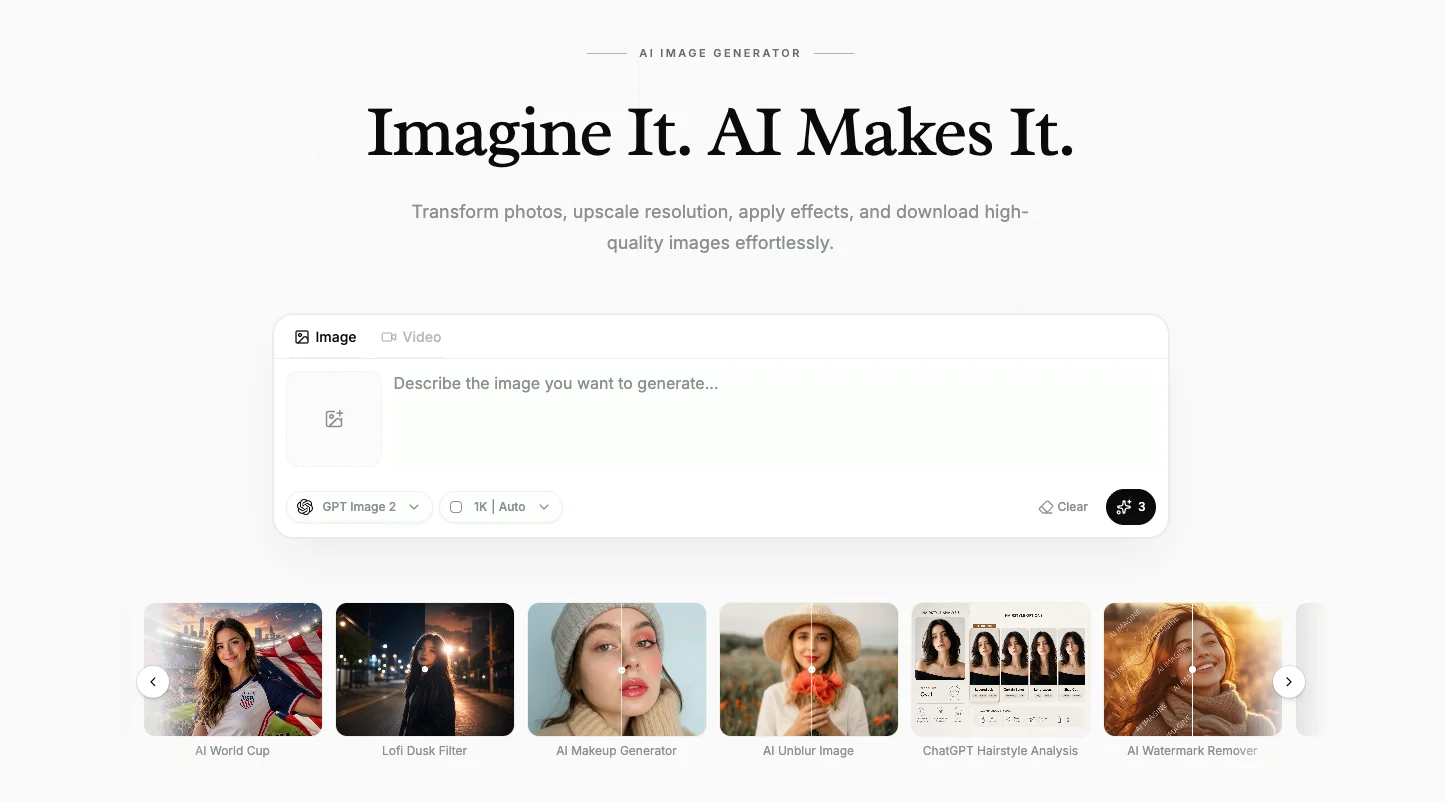
Upload Your Screen Design
Add a clear screenshot, website preview, dashboard, app interface, or existing device image.
Describe the Mockup Scene
Define the MacBook model, angle, background, lighting, composition, reflections, and presentation style.
Generate and Download
Compare the generated variations and save the strongest mockup for a landing page, portfolio, pitch deck, or campaign.
Why Use Qimg AI MacBook Mockup Generator
Reference-Based Screen Placement
Use the uploaded screenshot as the visual reference while generating a new MacBook frame, camera angle, lighting setup, and surrounding scene. Keep the screen content central to the composition without building a device presentation from a blank canvas.
Flexible Presentation Styles
Explore clean studio shots, floating devices, creator desks, premium dark scenes, product showcases, and editorial compositions. Adjust the background, lighting, perspective, reflections, and mood to match a product, brand, or campaign direction.
Ready for Product Storytelling
Turn a website, dashboard, or app screen into a polished laptop visual for SaaS landing pages, portfolios, ecommerce listings, client presentations, social posts, and pitch decks. Show the interface in context so viewers can understand the product more quickly.
Who Use Qimg AI
Creators
Present websites, apps, dashboards, and digital projects inside polished MacBook scenes for posts and portfolios.
Designers
Turn UI screens into presentation-ready device visuals without rebuilding every lighting and camera setup manually.
Marketers
Create product launch visuals, SaaS hero images, campaign graphics, ecommerce assets, and client-facing presentations.
FAQs About MacBook Mockup Generator
It places a screenshot, website, or UI design into a styled MacBook scene so the digital product can be presented in a more realistic and polished context.
Yes. Upload a clear screen image and describe the device frame, scene, camera angle, lighting, and overall presentation direction.
No. Qimg AI generates the device presentation from your uploaded screen and prompt, so a layered Photoshop or Figma mockup template is not required.
You can create front views, angled product shots, floating devices, desk setups, dark premium scenes, clean studio images, and editorial layouts.
Use it on SaaS landing pages, portfolios, client decks, ecommerce pages, app launch campaigns, social posts, and product presentations.
Discover More on Qimg AI
Qimg AI is your go-to AI image toolkit for generating, editing, and enhancing photos and artwork.

Turn Your Screen Into a MacBook Mockup
Place your website, app, dashboard, or UI design inside a polished MacBook scene for landing pages, portfolios, and presentations.