
Note: Auto only supports 1K. 1:1 does not support 4K.
AI Icon Generator
Describe the icon you need, choose a visual style, and let Qimg AI generate unique icons for apps, websites, logos, presentations, products, and brand projects.
How to Use AI Icon Generator
Upload
Enter a detailed prompt describing your icon idea, including the object, color, shape, background, style, and intended use.
Generate
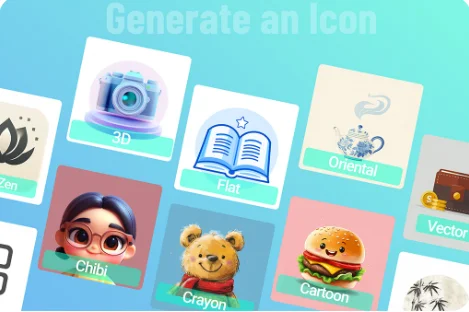
Choose your preferred icon style, such as flat, vector, 3D, minimalist, cartoon, or gradient, then click the Generate button.
Download
Preview the generated icon options and download the high-resolution design for your app, website, brand, or creative project.
Why Choose AI Icon Generator
Create Icons from Text Prompts
Qimg AI turns simple descriptions into polished icon designs. You can describe the subject, style, color, and mood, then generate icons without starting from a blank canvas.
Multiple Styles for Apps and Brands
Generate flat icons, 3D icons, minimalist symbols, cartoon icons, gradient designs, and brand-style visuals to match different digital products and campaigns.
Fast Icon Design for Any Workflow
Qimg AI helps designers, founders, marketers, and creators speed up icon creation for websites, mobile apps, social posts, pitch decks, and product pages.
Who Use Qimg AI
Creators
Create visuals faster without design skills. Turn ideas into images, thumbnails, social posts, and creative assets in seconds.
Designers
Accelerate your creative workflow. Use Qimg AI to generate concepts, references, and visual directions, then refine them into production-ready designs.
Marketers
Produce high-converting visuals on demand. Create ads, campaign visuals, and branded images quickly.
FAQs about AI Icon Generator
An AI icon generator is a tool that creates custom icons from text prompts. It uses AI to understand your description and generate visual icon concepts automatically.
Yes. Qimg AI can generate icon concepts for mobile apps, web apps, software tools, and product interfaces. You can specify style, color, shape, and theme in your prompt.
You can create flat, vector-style, 3D, minimalist, cartoon, gradient, realistic, and brand-inspired icons by describing the style you want.
No. The tool is designed for prompt-based creation. You only need to describe the icon idea, and Qimg AI will handle the visual generation process.
A good prompt includes the main object, style, color palette, background preference, and use case, such as “minimalist blue cloud app icon on white background.”
Discover More on Qimg AI
Qimg AI is your go-to AI image toolkit for generating, editing, and enhancing photos and artwork.
AI Icon Generator
Turn your ideas into custom icons with Qimg AI. Create polished visuals for apps, websites, brands, and digital projects in seconds.